
Encrypted sync
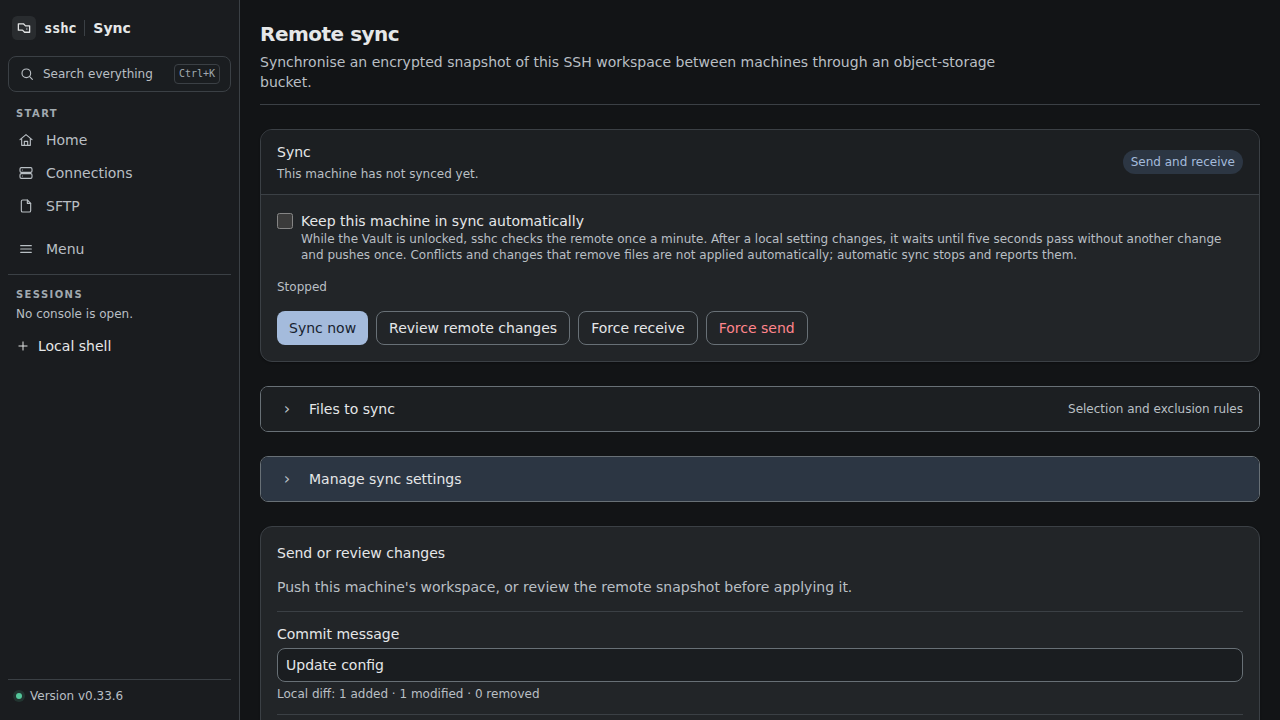
sshc does not provide hosted sync storage or retain your sync data. You choose and configure S3-compatible object storage; sshc encrypts connection settings, Vault credentials, Snippets, and the SSH keys in scope on your device as one snapshot before storing it there. The storage provider does not receive plaintext, but the bucket name, S3 object names, object sizes, and modification times are not encrypted.
First device
- Enter the bucket, endpoint and access key.
- Pass the connection check.
- Generate a sync key when the target is empty.
- Store the key shown once in a safe place.
Additional devices
Enter the same bucket path and sync key. When a remote snapshot already exists, sshc saves the configuration only after the key can decrypt it. Use another path if you intend to create a separate dataset.
Choose bidirectional, send-only, or receive-only sync.
- Bidirectional sync receives remote updates and sends local changes.
- Send-only checks whether the remote moved before sending, but never applies remote content locally.
- Receive-only applies remote content and never uploads changes from that device.
Receive-only is useful for a secondary read-only device. If its history diverges, review the current remote snapshot and explicitly receive it. This operation does not write to the bucket.
Connection and receive failures distinguish authentication refusal, timeout, DNS, TLS, an incorrect encryption key, unsupported formats and damaged snapshots. An unclassified failure shows a stable diagnostic code for support.
During receive, files are restored from the authoritative remote snapshot with their contents and permissions intact. sshc distinguishes regular 0600 files from executable 0700 files, so a permission-only change is synchronized as well. OpenSSH settings that sshc cannot structure, or syntax problems already present in that snapshot, do not make replication fail; inspect them afterward in Connections or Diagnostics.
Git-like flow
- Review changes previews local and remote differences.
- Push writes conditionally against the remote ETag last acknowledged by this device.
- Pull applies only when the previewed ETag and revision still match.
- Force Push replaces the remote through a confirmation token bound to the configured binding generation, target, and current live ETag.
- Force Pull resolves conflicts and removals in favor of the remote, then applies only the previewed ETag and revision.
- History reads earlier snapshots directly from the bucket.
When automatic sync is enabled, sshc polls the remote once a minute while the Vault is unlocked, without uploading during the check. On bidirectional and send-only devices, local changes made through sshc trigger one push after a five-second quiet period. Another change restarts that five-second delay. Receive-only devices never push.
Files excluded from sync
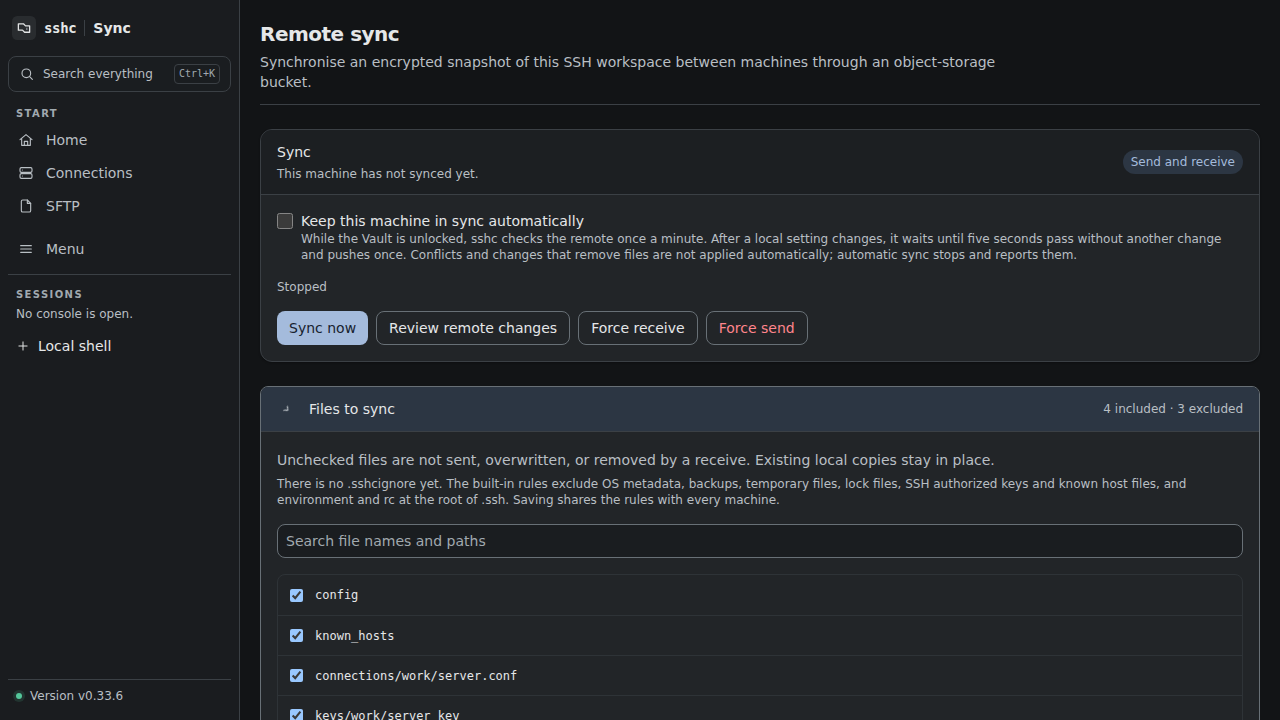
Use Files to sync on the Sync screen to search current files and include or exclude them. The advanced editor manages .sshcignore at the workspace root with Gitignore-like patterns. These are globs rather than regular expressions: use *, **, ?, ! to re-include a path, and a leading / to anchor a rule at the root.
The initial rules exclude common OS metadata, backup files, temporary files, lock files, SSH authorized keys and known host files, and the login environment and initialization script:
# OS metadata files
**/.DS_Store
**/Thumbs.db
**/desktop.ini

# Backup and temporary files
*.bak
*.tmp

# Lock files
*.lock

# ssh config
authorized_keys
authorized_keys2
known_hosts
known_hosts.old
known_hosts2
known_hosts2.old
/environment
/rc
/environment and /rc match only at the root of .ssh; files with the same names in subdirectories are not excluded.
These defaults apply when .sshcignore has not been saved. Existing saved exclusion rules are preserved.
Once saved, .sshcignore itself is synchronized so every device sharing the target uses the same boundary. An existing local file that is excluded is neither overwritten nor removed by normal Pull or Force Pull. The screen warns when a rule excludes connection settings or keys because those files will not reach other devices.
The .sshcignore control file and the encrypted transfer documents for Vault and snippets always synchronize, even under a broad rule such as *. sshc continues to exclude bucket credentials, device-local history, and live runtime locks independently.
The Sync screen keeps routine operations separate from configuration. Bucket credentials and the encryption key live under Manage sync settings. Snapshot differences and S3 history are under Details and history. History initially shows the latest five entries; expand it or reveal S3 object names only when needed.
Sync key
Each device may have a different master password. Devices sharing one target must use the same sync key. Losing it makes remote snapshots impossible to decrypt.
See Push, pull, and history for conflicts, force operations, and automatic sync.