
Terminal
Open SSH and local shells in the same interface, with multiple-pane workspaces, search, Quick Commands, and port forwarding.
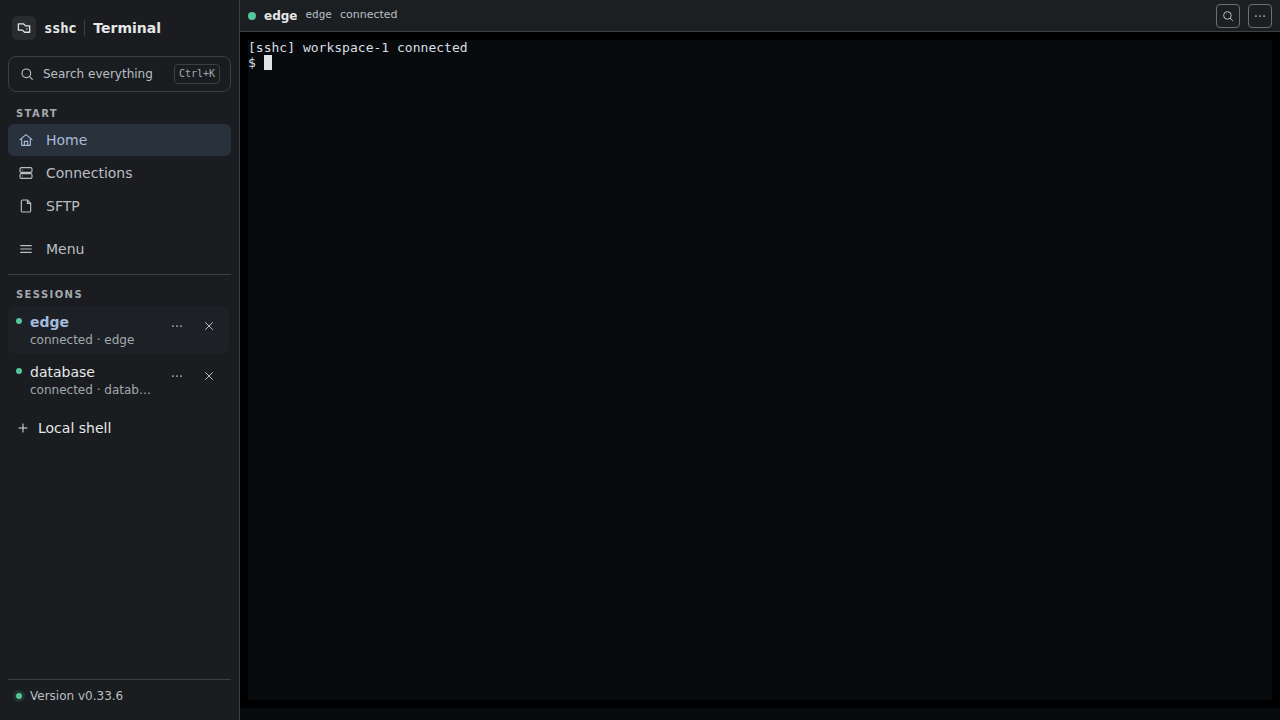
See connection progress
sshc displays name resolution, jump hosts, host-key checks, authentication, shell startup, reconnect and exit as distinct stages. It does not blindly retry host-key or authentication failures that need a decision.
When SSH needs an unsaved password, key passphrase, or hidden keyboard-interactive answer, each typed character appears as * instead of the value. Backspace and Ctrl+U update the mask without leaving the plaintext in scrollback.
Settings → Terminal → Connection log can show connection stages, attempted authentication methods, whether a saved TOTP was available, jump hosts and timing for newly opened connections. Everything (-vvv) prints the active log level first. Passwords, generated TOTP codes and setup keys are never logged. sshc ssh <alias> --non-interactive uses the same setting.
A dropped SSH session retries automatically with a growing delay. While it waits, Stop reconnecting at the top of the pane abandons the loop; the session stays listed as exited so you can reconnect by hand or close it. Reconnect an exited SSH session in the same pane while retaining its scrollback. Closing an SSH or local shell explicitly stops it immediately and removes it from the list.
Terminal controls
- Scrollback search with
Ctrl/Cmd+F - Case, regex, match highlighting, and result navigation
- URL and remote-path context actions, including OSC 8 links
- Quick Commands and snippets
- Pre-send review for pastes containing line breaks or control characters
- OSC 52 clipboard, Kitty keyboard protocol and JIS keyboards
- Per-connection UTF-8, Shift_JIS, EUC-JP and ISO-2022-JP
- A 16 KiB–4 MiB engine replay buffer, 1,000–100,000 lines of browser scrollback, and configurable font size
- WebGL rendering with an automatic DOM-renderer fallback when unavailable or when a background image is active, plus an option to disable WebGL permanently
- An uncompressed background image library with search, selection, rename, delete, a 1–1024 MiB storage limit, and atomic updates to overall and per-connection references
- Static cursors in Terminal and the SFTP text editor when the operating system requests reduced motion, avoiding distracting rapid animation
On reconnect, sshc replays only bytes after the browser's last rendered position. Existing output is not duplicated, and older scrollback retained only by the browser is not cleared. If a long disconnect let required output fall out of the engine buffer, the terminal reports the gap. Both buffers stay in memory and are not written to the vault, backups, or sync snapshots.
Input and clipboard
Normal text-selection copying stays inside the browser and does not require OSC 52. Configure automatic copy-on-select and right-click paste under Settings → Terminal. A paste containing line breaks, a final Enter, or terminal control characters is not sent immediately. sshc shows the target, logical line count, and a bounded preview with control characters made visible. Edit the text in the review dialog; the line count and warnings update with it. You can cancel, paste the edited text, or remove exactly one final Enter first. Neither the preview nor the original paste is stored.
OSC 52 lets remote software write to the device clipboard. It has a global default and a per-SSH-host allow/deny override, so enable it only for hosts you trust.
Kitty keyboard mode follows requests from the remote application. A JIS option sends the yen key as backslash. Mobile adds a special-key row for Ctrl, Alt, Esc, Tab, and arrows.
OSC 8 links and detected URLs open in the system browser. A detected remote path or the current working directory reported through OSC 7 can open SFTP at the same host and directory. SFTP can also open a new SSH Terminal at its displayed directory.
New session in the session list opens the same picker SFTP uses for its destination: Local shell at the top (one row per detected shell profile), then search, recent connections and groups for SSH hosts. Local shells use the same subsystem as SSH: search, Quick Commands, workspaces, and broadcast commands all apply. On macOS and Linux, sshc supplies the terminal information needed by line editors such as zsh and fish even when the engine was started as a background service.
Titles and notifications
Titles set by shells and programs through OSC 0/1/2 become the pane header and the session list name. Notifications sent through OSC 9/99/777 become unread marks, and browser notifications with a sound while the sshc tab is in the background. See Titles and notifications for details, including the Claude Code and Codex settings.
sshc never infers program state from ordinary shell output or reruns arbitrary commands on its own.
Port forwarding
Manage Local forwarding and Dynamic SOCKS per SSH connection. Local forwarding has a local bind endpoint and a destination host and port. Dynamic forwarding opens a local SOCKS endpoint. Remote forwarding is intentionally not provided.
See Port forwarding for setup details.
Closing a connection initially focuses Keep it open. Press Tab to focus Close, then Enter to confirm.