
Port forwarding
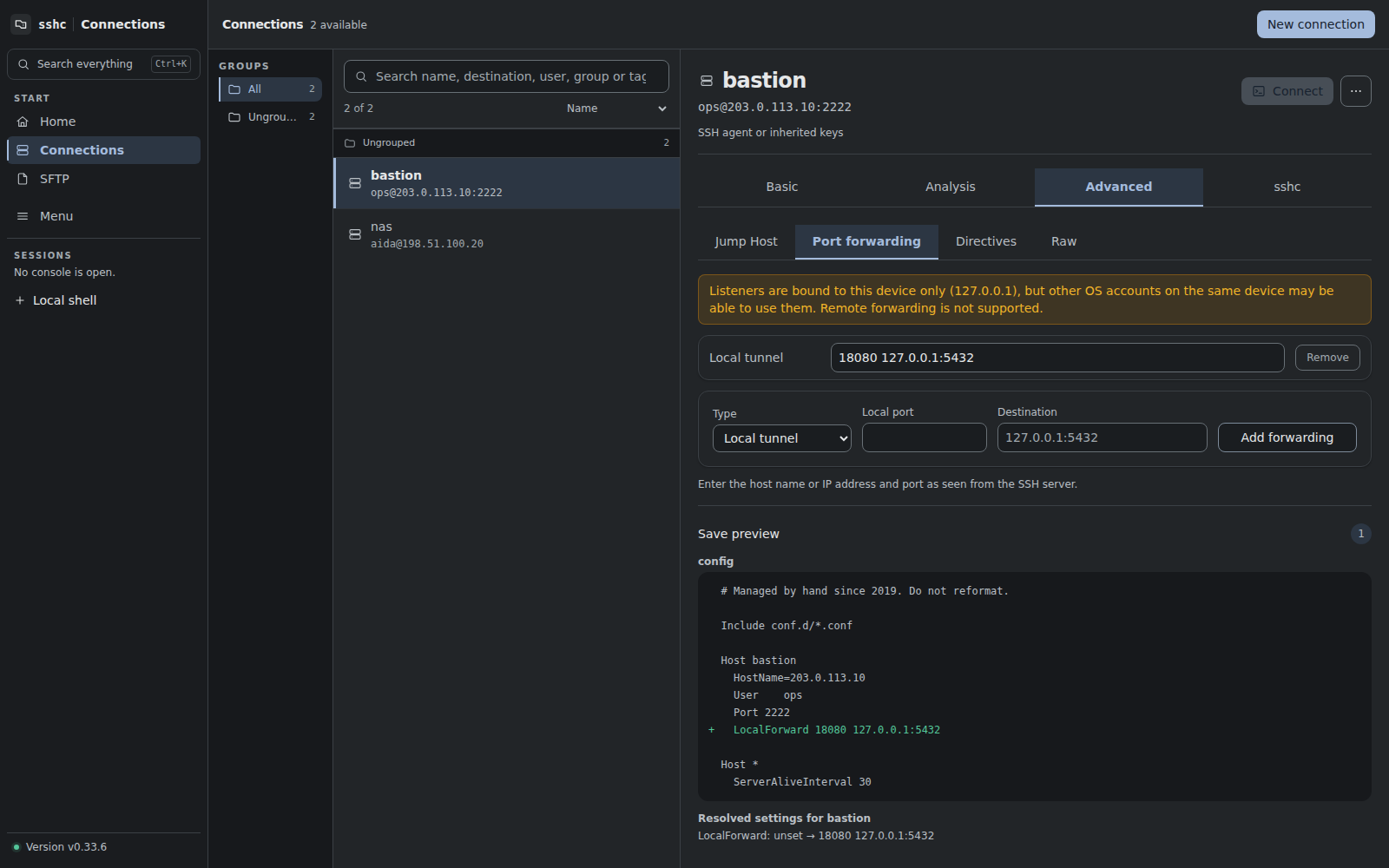
sshc provides Local forwarding, Remote forwarding and Dynamic SOCKS5.
Local forwarding
Listen on a local address and port, then connect from the SSH host to a destination host and port.
The destination may be any host visible from the SSH server. 127.0.0.1 is the clearest example for a service on that same server.
Remote forwarding
Listen on 127.0.0.1 on the SSH server, then connect to a destination reachable from the machine running the sshc engine. This can make a local development server available to processes on the SSH server.
Select Remote tunnel in the connection's forwarding settings, or add a temporary forward from a connected Terminal. To use it with sshc ssh <host>, save an SSH Config directive:
RemoteForward 9080 127.0.0.1:3000The server must allow remote forwarding, for example with AllowTcpForwarding remote or yes. A server denial is reported without ending the Terminal session. SSH does not include a reason in its negative reply, so check the server policy and whether the port is already occupied.
- The bind request always uses
127.0.0.1, even when the config asks for a different address. - Connections whose reported origin is not loopback are rejected.
- Whether the server honors the requested bind address is controlled by the server.
The destination is resolved from the engine, which may be different from the device displaying the browser. For a remote session, it is resolved from the remote sshc engine.
Stopping closes the listener and active tunnels. Saved forwards reopen on the next SSH connection; temporary forwards need to be added again after reconnection. Destination-free remote SOCKS and automatic port allocation with port 0 are not supported.
If the server does not answer a listener start or cancellation request within 30 seconds, sshc closes that SSH connection. SSH cannot cancel an unanswered global request individually. Reconnect and check the server's forwarding configuration before trying again.
Dynamic SOCKS
Open a local SOCKS5 endpoint. Each client request supplies its own destination, so Dynamic settings have no fixed destination field.
Saved forwards live under Port forwarding in a connection's Advanced tab. A connected terminal can also start and stop temporary forwards on its existing SSH transport.
Listeners are loopback-only, but are not a strong isolation boundary from other local processes or users. Keep authentication enabled on destination services.