
Connections and groups
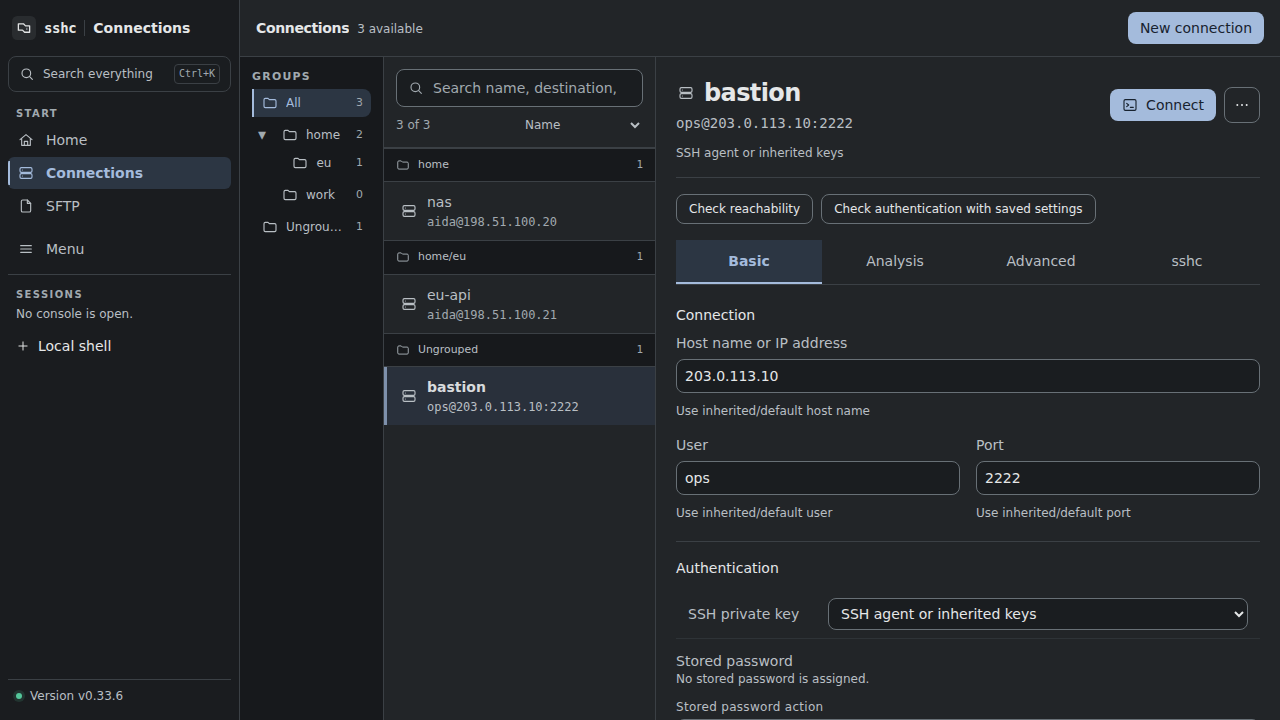
Connections uses a group tree, a host list, and a detail pane. Drag the column dividers, or focus one and use the arrow keys (Shift for larger steps, Home for the minimum, End for the maximum), to change the widths; they are remembered per browser. Narrow screens show one level at a time and respect browser or Android back navigation.
Find a connection
The default order is by name. Search matches alias, address, user, and group. Ctrl/Cmd+K searches hosts, remote files, Snippets, and settings across the app. A host result menu opens its details directly.
Home Quick Connect prioritizes recently connected hosts, then sorts unused entries by name. Panel/list preference is saved in the browser.
Groups
Groups are directory-like categories. Drag them to nest or reorder them. Group changes are previewed before they update the managed Include structure.
Create, duplicate, and rename
Aliases are unique. Create, duplicate, and rename operations are rejected before writing if the target alias already exists.
Quick Connect is the fast launch surface; Connections is the inventory and editing surface. Its item menu links to the full connection details.