
What is sshc?
sshc is a terminal app that uses your existing OpenSSH configuration. Open SSH sessions and local shells in multiple panes, then use SFTP and port forwarding with the same connections. The terminal, SFTP, CLI, and encrypted sync share the same ~/.ssh/config, Include files, private keys, and known_hosts without converting them to a proprietary format.
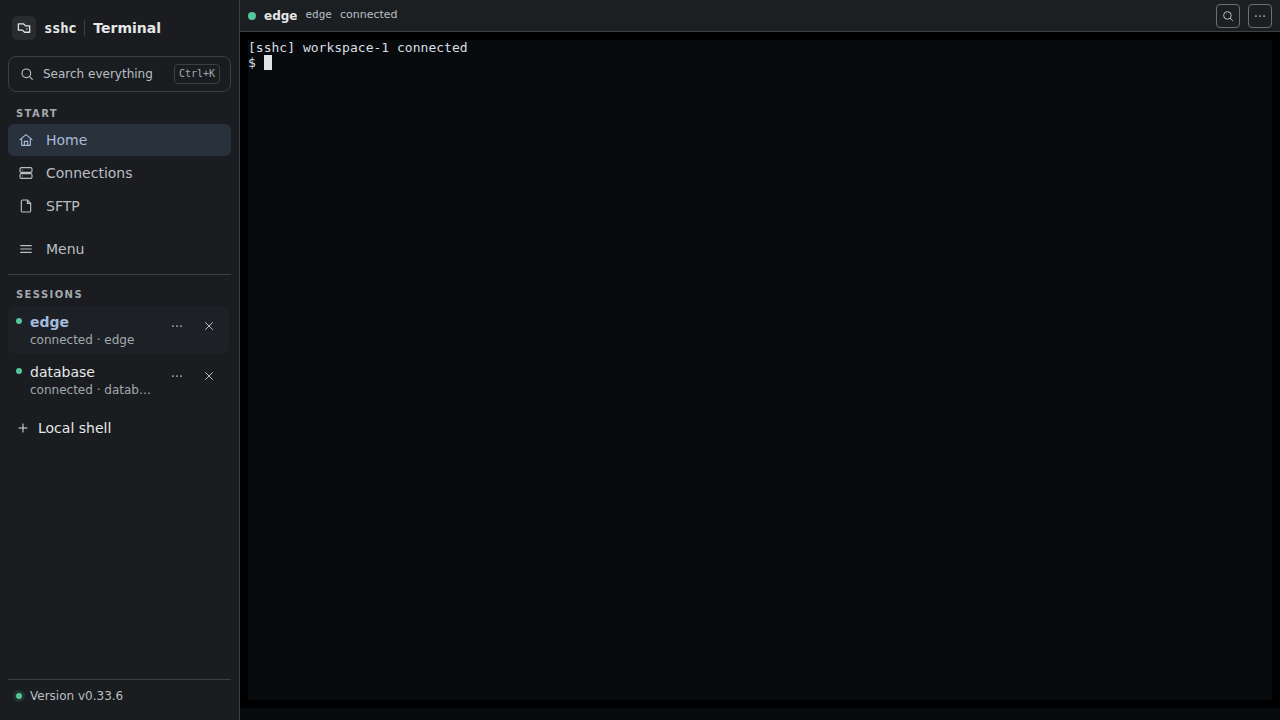
On desktop, the left navigation opens Home, Connections, SFTP, Menu, and your live terminals. On mobile, use the menu button to open the same navigation and tap outside it to close.
When to use it
- You want SSH, local shells, SFTP, and port forwarding in one app.
- You want to organize OpenSSH while keeping it usable from regular ssh and VS Code.
- You do not want to re-enter passwords and key passphrases for every tool.
- You want Codex or another AI agent to use saved connections from the CLI.
- You want to sync configuration, keys, and credentials across devices through S3-compatible storage you provide.
Reuse saved credentials
Passwords assigned to connections and passphrases saved for private keys are encrypted in the vault. With the vault unlocked, the terminal, SFTP, ProxyJump routes, and CLI resolve the credentials they need. You do not configure the same value separately for each feature.
An AI agent can call the non-interactive CLI directly:
sshc ssh <alias> --non-interactive -- <command...>The agent does not need the password itself; sshc uses the saved vault value for authentication. Non-interactive SSH stops when it needs a human decision or action, such as accepting an unknown host key, completing 2FA, or unlocking the vault.
What it is not
sshc is not an SSH server or a cloud relay. Connections and decryption happen on your device. It does not upload terminal scrollback or running processes. sshc does not provide hosted sync storage or retain your sync data; encrypted snapshots go to the S3-compatible storage you configure. Because the OpenSSH files remain standard, VS Code, Codex, and the normal ssh command can use the same configuration.
At a glance
| Area | What it covers |
|---|---|
| Terminal | SSH/local shells, search, links, encodings, Quick Commands |
| Workspace | Up to four panes, drag splits, saved ratios, broadcast commands |
| Connections | Host blocks, Include trees, groups, keys, passwords, known hosts |
| SFTP | File browser, editor, folder transfer, and a queue that can resume files when recovery requirements are met |
| Sync | User-provided S3-compatible storage, local encryption, push, pull, history |
| CLI | SSH, sync, terminal control, Serial, Telnet, JSON automation |
Next, install sshc and open your first connection.