What is mado ML Tracking?
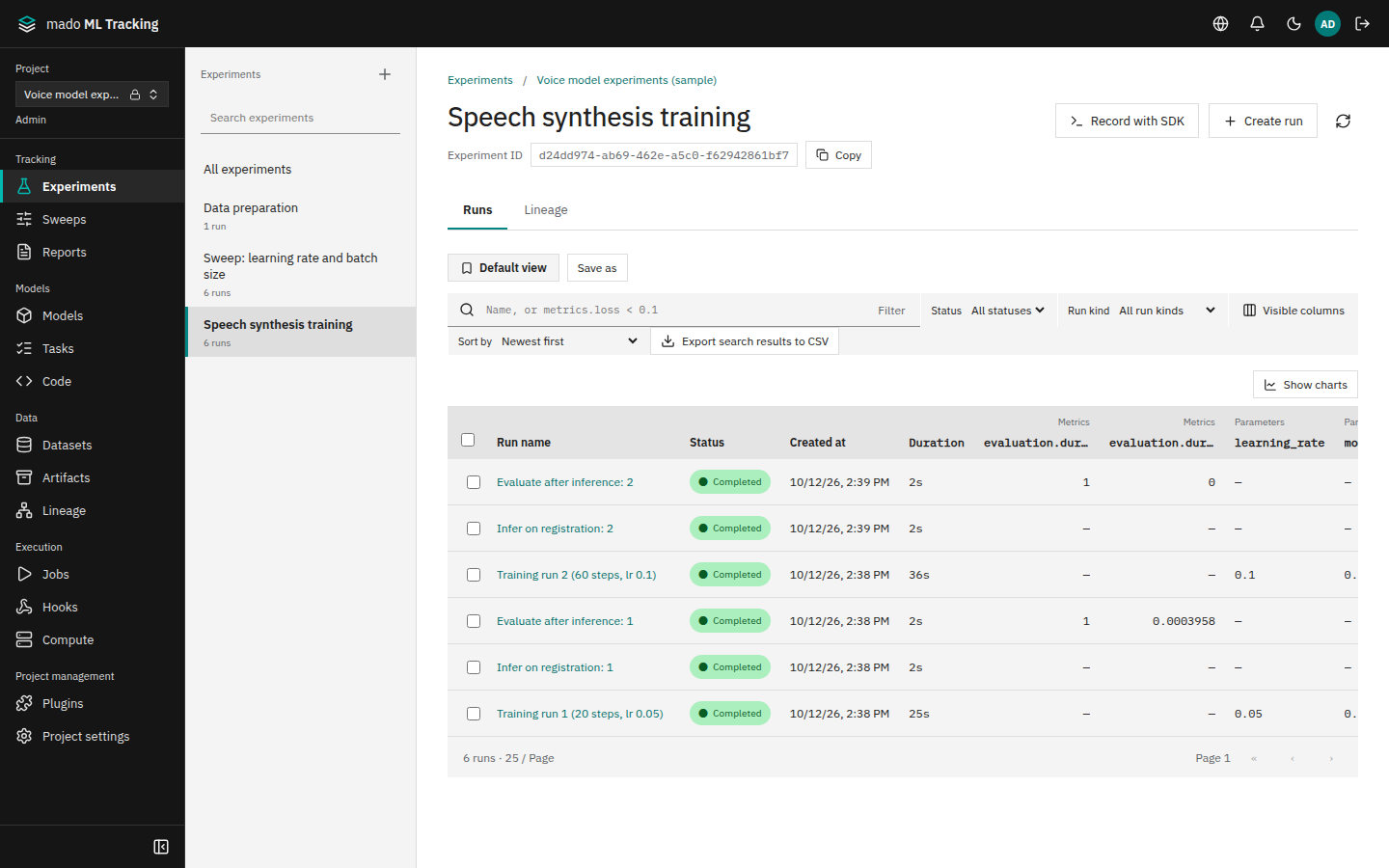
mado ML Tracking is a web app for managing machine learning experiments and models. It rebuilds MLflow in a form that is easier to operate in-house: training records, model registration, automatic inference and evaluation, and promotion based on evaluation results all work on the same records.
You can record with the official MLflow 3 SDK as is, and the app also has its own Python SDK and API. Large files such as audio and weights go to a filesystem or S3-compatible storage.
When it fits
- You want to keep recording with MLflow calls, but manage the storage and access yourself
- You want inference and evaluation to run automatically once a trained model is registered
- You need to trace exactly which model version, code, and dataset an inference or evaluation used
- You want to listen to audio outputs step by step and version by version
- You manage Project access with Authentik groups and want tokens for workers that do not belong to a person
From training to promotion
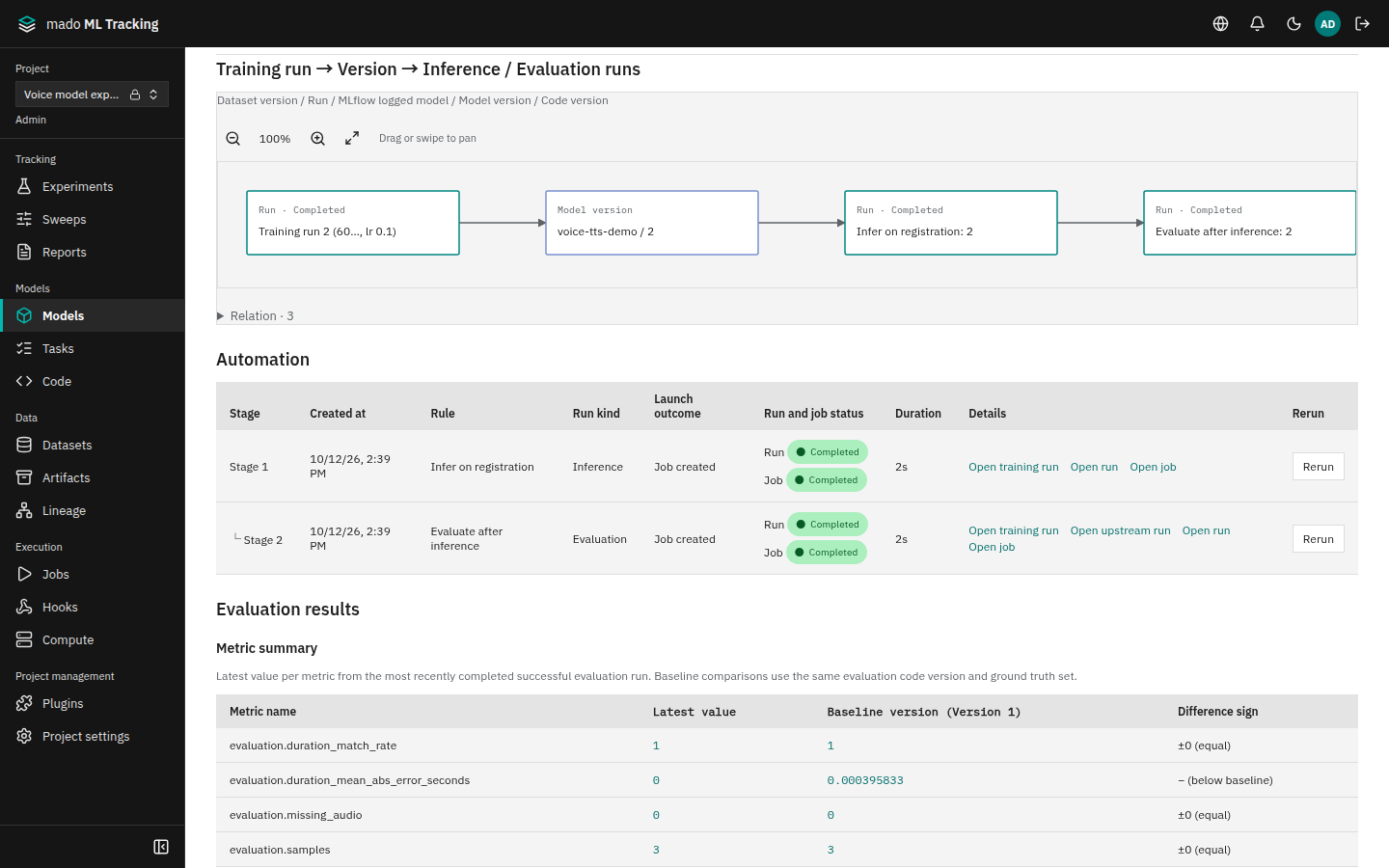
The steps from registering the model a training Run produced to moving an alias such as production can be automated as follows.
- Training RunRecords params, metrics, and Artifacts
- Model versionRegisters the training output
- Inference RunStarted by an automation rule
- Evaluation RunReceives the inference outputs
- PromotionMoves the alias when the check passes
- Train: Record params, metrics, logs, and Artifacts from the Python SDK or the MLflow 3 SDK. A training Run of a Job that a worker ran registers its declared outputs as model versions when it succeeds.
- Register: Version numbers are integers assigned automatically, as in MLflow. A registered version never changes afterwards.
- Infer: An automation rule that matches the model family queues an inference Job. A worker runs the code over SSH or in a container.
- Evaluate: An evaluation rule whose upstream is the inference rule receives the outputs of the inference Run and evaluates them.
- Promote: A promotion policy compares the evaluation metrics with the baseline version (by default, the version of the
productionalias) and records the result. A policy with automatic promotion enabled also moves the alias to the new version.
The model version page shows the chain from the training Run to the version and the inference and evaluation Runs, along with the results of the automation.
What it manages
| Item | Contents |
|---|---|
| Project | The unit of records and access. Set members, Authentik groups, and Service Accounts |
| Experiment and Run | One training, inference, or evaluation. Params, metrics, logs, system metrics, Artifacts |
| Model and version | Model family, aliases, source Run, weights Artifact. Versions are immutable |
| Task and code version | The code to run (a Git commit, standalone code, or a container) and its command |
| Job and compute target | A request a worker runs, and where it runs (SSH, GPU, Docker, Singularity/Apptainer) |
| Dataset version | Data used as inference or evaluation input, or registered as a Run output |
| Artifact | Files such as weights, audio, images, and tables, kept on a filesystem or S3-compatible storage |
How it relates to Mado
mado ML Tracking runs as an app separate from Mado, with its own database. The two connect through the built-in Mado integration (disabled at first; a global administrator configures and enables it).
- Search dataset versions managed in Mado and import them as dataset versions
- Send the start and end of Runs, with their input and output dataset versions, to Mado's lineage
- Show Mado's storage capacity metrics on screen
Sign-in works the same way as in Mado. Authentik groups decide who can sign in and who is a global administrator, and local accounts can be used alongside SSO or instead of it.
Display language
The screens are available in Japanese and English. To switch, press the globe button (Language) at the right of the top bar and choose 日本語 or English. On the sign-in screen and on the screen that asks for a new password, the same button is at the right end of the row with the logo; on the error screen shown when a screen fails to display, it is above the message.
The choice is saved in the browser and applied to the other tabs open in the same browser. Until you choose, the browser's preferred language is used. When the browser reports no language, or none of its preferred languages is Japanese or English, the screens are in English.
Screen names such as Experiments, Runs, Models, and Jobs stay in English on the Japanese screens as well. Some messages returned by the server, such as error messages, may appear in Japanese even on the English screens.
What it does not do
- It does not provide MLflow Tracing, GenAI evaluation, the Gateway, or the Prompt Registry.
- It does not transfer files directly with storage through presigned URLs. Uploads and downloads go through the API.
- The API server does not SSH into worker hosts. Workers are installed and kept running on the worker hosts themselves.
Next steps
Start the server with Install, then record your first Run with the Quickstart.