Notes and Comments
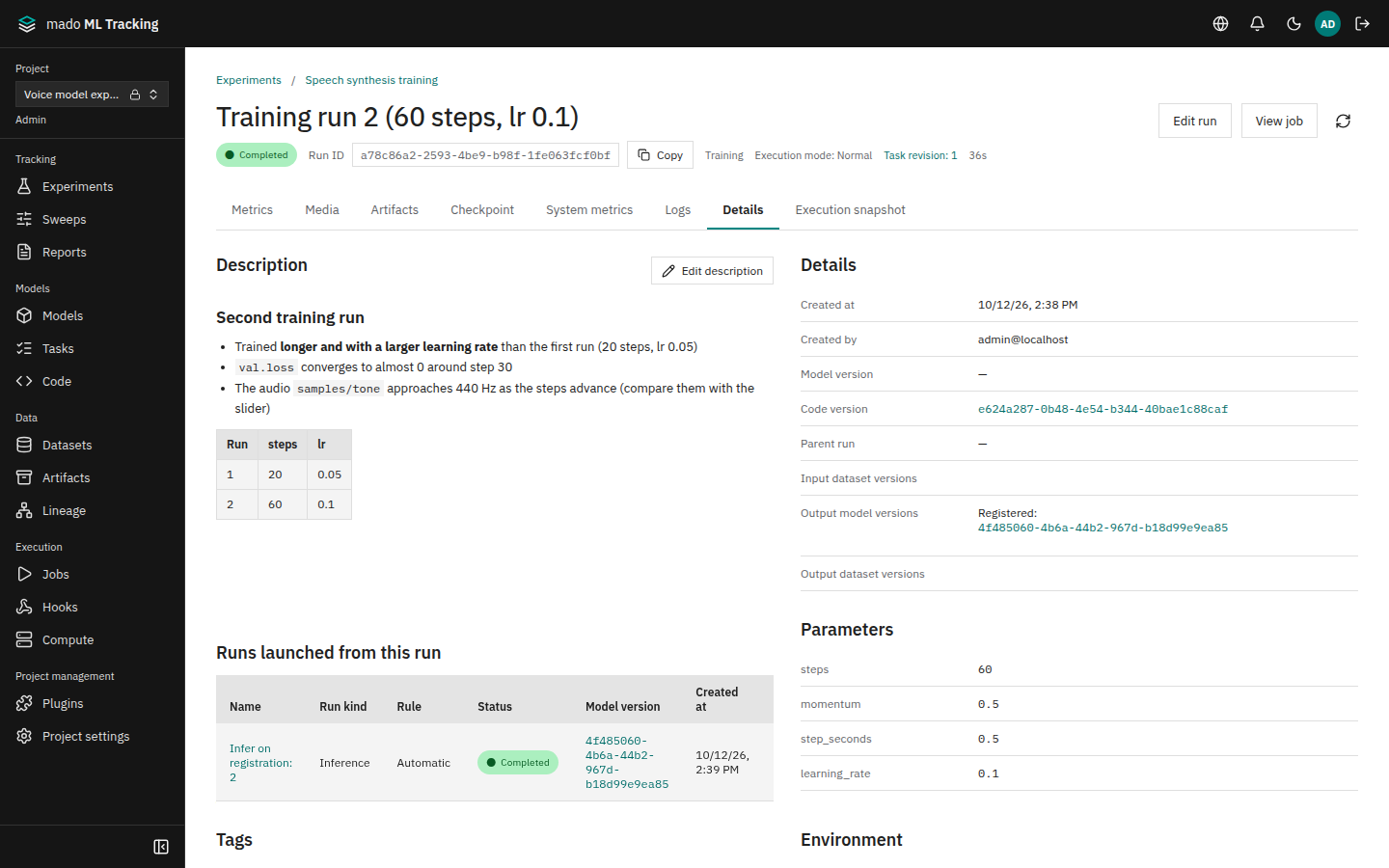
A Run's Details tab has a description and comments. Use the description for the purpose, conditions, and findings of the experiment, and comments for discussion between members.
When it helps
- Keeping why you ran these conditions next to the numbers
- Discussing training results with a reviewer on the page
- Making it clear later which Run was the production candidate
Write a description
- Open the Run and choose the Details tab
- Choose Edit description
- Write in the Edit tab, check the result in Preview, and save
- Markdown is supported, including tables, checklists, and code
- Up to 8,000 characters; the remaining count is shown below the editor
- External images are not loaded and are shown as links. Links in formats that cannot be opened are shown as text
- Saving an empty description deletes it
Editing needs the editor role or higher. Runs executed by a worker Job can get a description after they finish, because the description is not part of the results.
The description is stored in the same place as MLflow's Run description (the mlflow.note.content tag). A description written with set_tag("mlflow.note.content", ...) appears here, and one written here can be read from MLflow. After a worker Job's Run finishes, however, MLflow tag writes are refused; edit the description on the page instead.
Comment
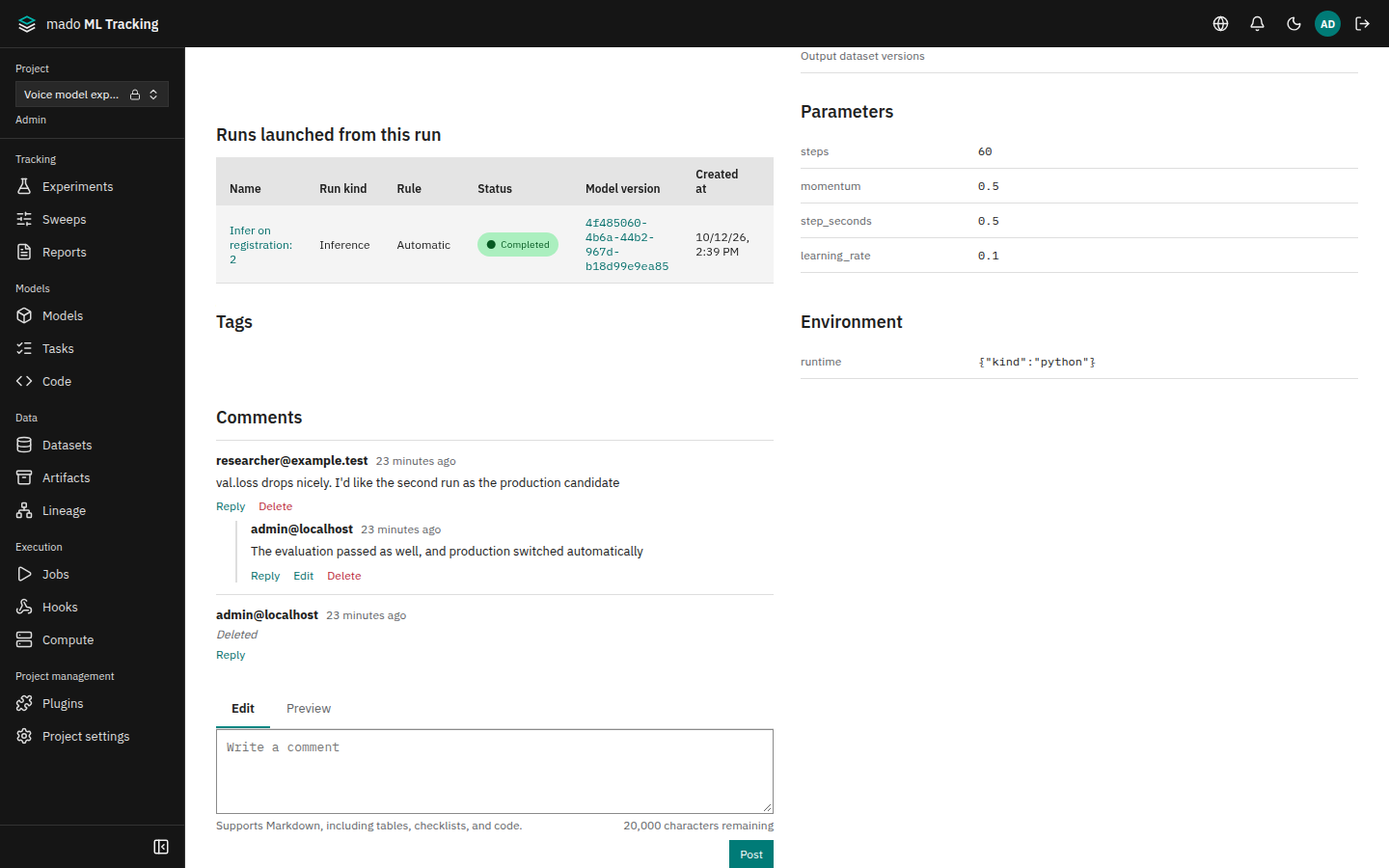
In Comments at the bottom of the Details tab, type in the comment box and choose Post. Comments support Markdown and up to 20,000 characters.
- Reply adds to that comment's thread. Replies are one level deep; a reply to a reply goes into the same thread
- Edit your own comments with Edit; edited comments show Edited
- Delete your own comments with Delete; Project admins can delete anyone's. A deleted comment stays in the thread as Deleted, so the replies keep their place
| Action | Required role |
|---|---|
| Read | viewer or higher |
| Post and reply | editor or higher |
| Edit | The author (editor or higher) |
| Delete | The author (editor or higher) or a Project admin |
Comments are also available on model version pages and shared reports. Deleted Runs and model versions accept no new comments, but existing ones stay readable.
Description changes and comment posts, edits, and deletions are recorded in the audit log. The log stores only the length and target, not the text (Audit log).
Job-limited tokens given to code in a worker Job cannot write descriptions or comments.