Install
mado ML Tracking uses Docker Compose to start the Web, the API, PostgreSQL, and the preview worker that renders audio and video previews. Workers that run training and inference Jobs are installed separately on worker hosts with GPUs.
| Container | Role |
|---|---|
web | nginx that serves the screens and forwards /api/ to the API. Listens on 127.0.0.1:5182 of the host |
api | The API. This process also serves the MLflow 3 compatible API, runs automation, and collects deleted Artifacts |
postgres | PostgreSQL 16. Data is kept in the postgres volume |
preview | Renders waveforms and spectrograms of long audio and video (includes ffmpeg) |
Requirements
- A Linux server (the examples below use Ubuntu)
- Docker Engine and Docker Compose v2
- A DNS name and a reverse proxy that terminates TLS, to publish the app over HTTPS
The compose api service runs with NODE_ENV=production, so it does not start unless the public URL is https://. web listens only on 127.0.0.1:5182 of the host, so put a reverse proxy that terminates TLS in front of it.
If Docker is not installed yet, run the following in a terminal.
curl -fsSL https://get.docker.com -o get-docker.sh
sudo sh get-docker.sh
sudo usermod -aG docker "$USER"
Sign out and back in, then check that the following command prints a version.
docker compose version1. Get the repository
git clone https://github.com/aida0710/mado-ml-tracking.git
cd mado-ml-tracking
2. Create .env
Create .env from .env.example. .env holds secrets, so make it readable only by its owner.
cp .env.example .env
chmod 600 .env
Generate the keys and the password. Run the following commands and write each value to .env. Do not paste the values into chats or tickets.
openssl rand -hex 24      # MMT_POSTGRES_PASSWORD
openssl rand -base64 32   # MMT_STORAGE_SECRET_KEY
openssl rand -base64 32   # MMT_SESSION_ENCRYPTION_KEY (with SSO; a different value from the one above)
The main variables to set in .env are:
| Variable | Value | Description |
|---|---|---|
MMT_POSTGRES_PASSWORD | The value generated above | The PostgreSQL password. It is not in .env.example, so add it at the end. Compose builds the database URL from it |
MMT_PUBLIC_URL | https://tracking.example.com | The URL users open. Also used for the SSO callback |
MMT_WEB_ORIGIN | Same as MMT_PUBLIC_URL | The origin of the screens, checked on every change request |
MMT_STORAGE_SECRET_KEY | The value generated above | Encrypts in the database the secrets of S3 storage added from the screens |
MMT_ARTIFACT_MAX_BYTES | Keep the default (200 GiB) | The size limit of one Artifact |
MMT_ALLOW_PRIVATE_ORIGINS | true or false | With true, the app can also be used from LAN or VPN private IP URLs |
With SSO (Authentik), also set the following. For the Authentik side, see SSO with Authentik.
| Variable | Example value |
|---|---|
OIDC_ISSUER_URL | https://sso.example.com/application/o/ml-tracking/ |
OIDC_CLIENT_ID, OIDC_CLIENT_SECRET | The values shown on the Authentik provider |
OIDC_ALLOWED_GROUPS | mmt-users,mmt-admins (groups allowed to sign in) |
OIDC_ROLE_MAPPING_JSON | {"mmt-admins":"admin","mmt-users":"user"} (groups that become global administrators) |
MMT_SESSION_ENCRYPTION_KEY | The value generated above |
For the compose api service, the values in compose.yml take precedence over MMT_DATABASE_URL, HOST, PORT, ARTIFACT_FILESYSTEM_ROOT, and AUTH_MODE in .env.example. You do not need to change them. All variables are listed in Environment variables.
3. Choose the authentication mode
compose.yml sets the api AUTH_MODE to oidc (SSO only). For a first installation, hybrid, which also allows an emergency local administrator to sign in, is the safer choice. Create compose.override.yml at the top of the repository and override AUTH_MODE.
services:
  api:
    environment:
      AUTH_MODE: hybrid
AUTH_MODE | Sign-in | Required settings |
|---|---|---|
hybrid | SSO and local accounts | OIDC_* and MMT_SESSION_ENCRYPTION_KEY |
oidc | SSO only | OIDC_* and MMT_SESSION_ENCRYPTION_KEY |
local | Local accounts only | None (for environments without SSO) |
docker compose reads compose.override.yml automatically. Check that AUTH_MODE is replaced with the following command.
docker compose config | grep AUTH_MODE4. Start and apply migrations
Build the images, start the database, and apply the migrations. The API does not run migrations when it starts, so run them on the first installation and after every update.
docker compose build
docker compose up -d postgres
docker compose run --rm api npm run db:migrate -w @mmt/api
The migrations are done when Migration complete appears. The preceding ../../.env not found. Continuing without it. only means that there is no .env inside the container, which is expected (compose passes the settings to the container). Then start the other containers.
docker compose up -d
docker compose ps
Check that every STATUS is Up and that postgres and api show (healthy). Check the API with the following command.
curl -fsS http://127.0.0.1:5182/healthzIf it returns {"status":"ok"}, both the Web proxy and the API are running. If something does not start, check docker compose logs api. When a setting is missing, the log names the missing variable.
5. Create the first administrator
With hybrid or local, create a local global administrator. Run the following in a terminal and enter a username and a password (12 bytes or more). The password is not shown on screen.
docker compose exec api npm run bootstrap-admin -w @mmt/apiThe account is ready when Admin ready: <username> ... appears. The first sign-in asks for a new password. Running the command again with the same username replaces the password and restores global administrator rights, which also serves as recovery for a forgotten password.
With oidc only, members of the groups mapped to admin in OIDC_ROLE_MAPPING_JSON become global administrators.
6. Publish over HTTPS
Have the reverse proxy receive the DNS name of MMT_PUBLIC_URL and forward to http://127.0.0.1:5182. With Caddy, the following configuration obtains a TLS certificate and forwards requests.
tracking.example.com {
	reverse_proxy 127.0.0.1:5182
}
With another reverse proxy, make sure that it:
- does not rewrite the
Hostheader - forwards request bodies without a size limit and without buffering (for large Artifact uploads)
- has no timeout for the whole request, and an idle timeout of about 120 seconds
MLflow multipart uploads
The nginx in the bundled web container overwrites X-Forwarded-Proto with the scheme it received (http). When TLS is terminated in front of it, MLflow SDK multipart uploads (files of 500 MiB or more by default) send their parts to an http:// URL. If the front proxy redirects http:// to https://, those uploads fail. To send large files from the MLflow SDK, set MMT_MLFLOW_MULTIPART_UPLOADS=false in .env; the SDK then sends each file in a single streamed request.
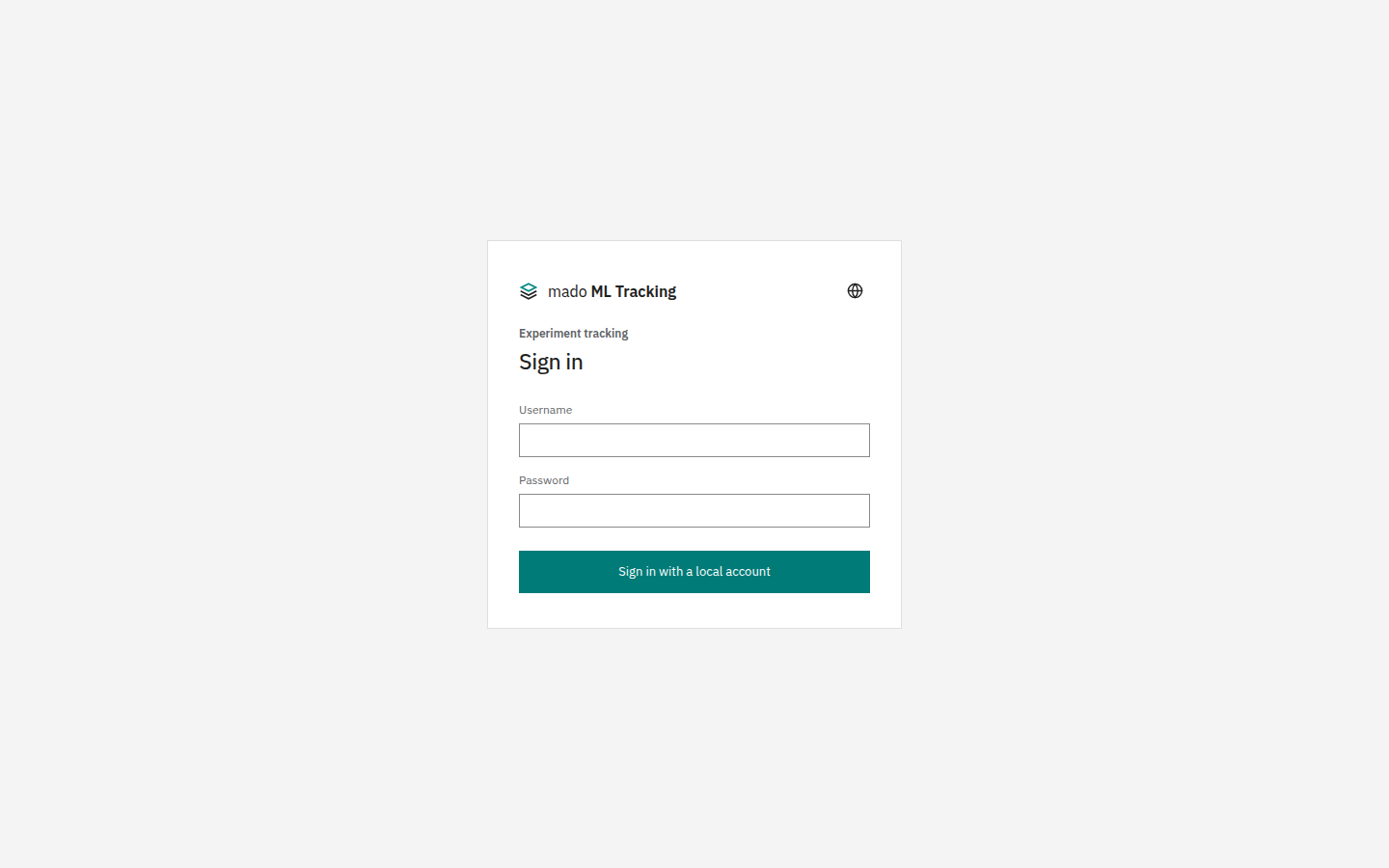
Open MMT_PUBLIC_URL in a browser and check that the sign-in screen appears. With hybrid, the SSO button is shown as well.
Web and API URLs
| Purpose | URL |
|---|---|
| Screens | https://tracking.example.com/ |
| Native API | https://tracking.example.com/api/ |
MMT_API_URL of the Python SDK | https://tracking.example.com (adding /api is the same) |
MLflow MLFLOW_TRACKING_URI | https://tracking.example.com/api/mlflow/projects/<Project ID> |
| API health check | https://tracking.example.com/healthz |
The MLflow endpoint is separate for each Project. The Project URL is shown under Connect from SDK or MLflow 3 in Project settings.
Store Artifacts in a host directory
The compose api runs inside a container and does not see the host's directories as they are. By default, Artifacts go to the Docker volume artifacts. To keep them on a large disk or shared storage (NFS, Lustre and so on), use compose.filesystem-storage.yml: the host directory set in MMT_FILESYSTEM_STORAGE_DIR appears at the same path inside the api and preview containers.
Create the directory first and let the containers' user (node, uid 1000) write to it. If it does not exist, Docker creates it owned by root and the containers cannot write to it.
sudo mkdir -p /srv/mmt/storage
sudo chown 1000:1000 /srv/mmt/storage
Add the following to .env. If you also use compose.override.yml, list it in COMPOSE_FILE too (setting COMPOSE_FILE stops compose.override.yml from being read automatically).
COMPOSE_FILE=compose.yml:compose.override.yml:compose.filesystem-storage.yml
MMT_FILESYSTEM_STORAGE_DIR=/srv/mmt/storage
After docker compose up -d, add a storage under Global settings → Administration → Storage and use a path below this directory, for example /srv/mmt/storage/artifacts, as the root directory (Storage).
Install workers
To run training, inference, and evaluation Jobs, install a worker on a worker host with GPUs. The API server does not SSH into worker hosts. Install the worker on the worker host with the mado-tracking-worker command and keep it running with systemd. See Install a worker.
Update
git pull
docker compose build
docker compose run --rm api npm run db:migrate -w @mmt/api
docker compose up -d
Back up the database and the Artifacts at the same point in time. Restoring only the database does not bring back weights or audio files.
Next steps
Create your first Project and record a Run in the Quickstart.